Cloud Migration Risk Assessment: A Practical Guide for Secure Moves
A cloud migration risk assessment is the formal process of identifying, analyzing, and ranking potential threats and vulnerabilities within a cloud migration project. This is a strategic analysis to ensure the migration supports business goals, stays within budget, and protects sensitive data from security gaps and operational failures.
Why a Modern Risk Assessment is Not Optional

Attempting a cloud migration without a rigorous risk assessment is a direct path to budget overruns and operational failure. The stakes are too high, as cloud infrastructure is now the default for most businesses. Legacy checklists are insufficient for today’s complex, interconnected environments.
The conversation has shifted from “if” we should move to the cloud to “how” to do it securely and efficiently. With over 94% of organizations using cloud infrastructure and 85% adopting a cloud-first strategy, migration risk is a systemic issue.
Despite this, common problems persist: 38% of organizations face integration challenges, 30% cite major security issues, and 20% are surprised by unforeseen costs. A proactive risk assessment models and mitigates these issues. You can review more cloud migration statistics to understand the prevalence of these challenges.
The Three Silent Killers of Cloud ROI
Migration projects often fail to deliver expected ROI due to one of three issues a proper risk assessment would have flagged. These problems remain hidden until it is too late.
- Unquantified Security Gaps: “Lifting and shifting” on-premises security policies creates immediate blind spots. An assessment maps existing controls to cloud-native services, uncovering gaps in identity management, data encryption, and the shared responsibility model.
- Unforeseen Operational Complexities: Legacy applications have hidden dependencies that can break when moved. A thorough assessment includes dependency mapping to prevent cascading failures, downtime, and expensive emergency fixes.
- Runaway Costs: The “pay-as-you-go” model can lead to unexpected expenses. A financial risk analysis models potential cost overruns from misconfigured services, data egress fees, and inefficient resource allocation before they appear on an invoice.
A risk assessment isn’t an obstacle to your migration; it’s the blueprint for a successful one. It turns unknown variables into quantifiable risks you can manage, ensuring the project delivers on its promises of agility, scalability, and cost efficiency.
This process provides the data-driven clarity needed to gain stakeholder buy-in and sets the stage for a smooth transition. This guide provides a practical framework for conducting this assessment.
How to Build Your Risk Assessment Framework
A structured framework is a strategic blueprint for the entire project. It moves beyond generic IT problems to address cloud-specific issues that can derail a migration.
An effective approach is to break the analysis into four critical pillars. This method provides a 360-degree view of the challenges, covering technical performance, security, and financial governance.
Here is what to consider for each pillar.
Security and Compliance Risks
This is where the most dangerous assumptions are made. On-premises security controls do not work the same way in the cloud.
Cloud environments operate on a shared responsibility model. If you do not understand where your provider’s duties end and yours begin, you create significant security gaps from day one. For example, a misconfigured S3 bucket or Azure Blob Storage container can expose sensitive patient data (PHI), leading to HIPAA violations and substantial fines. The assessment must be granular on these configurations.
Operational and Performance Risks
This pillar addresses a simple question: will the migrated systems perform as well as or better than before? Most legacy applications were not designed for the distributed nature of the cloud. A simple “lift and shift” often leads to latency, poor user experience, or outages.
A manufacturing company that moved its monolithic ERP system experienced a production line slowdown due to lags from hidden dependencies on on-prem databases. A proper operational risk assessment would have flagged this by mapping every application dependency before the move.
Don’t mistake a successful data transfer for a successful migration. If the application doesn’t perform, the project has failed. The goal is to improve operations, not just change the hosting location.
Financial and Cost Management Risks
The cloud’s “pay-as-you-go” model offers flexibility but can also lead to uncontrolled spending. Unexpected data egress fees, oversized VMs, and forgotten “zombie” resources can inflate a cloud bill by 30% or more.
A common example is a development team that spins up powerful instances for a short-term project and forgets to shut them down, silently incurring charges for months. A financial risk assessment anticipates these scenarios and helps build cost governance policies from the start.
Data Integrity and Governance Risks
This pillar focuses on data accuracy, accessibility, and lineage. During migration, it is easy for data to become corrupted, lost, or out of sync, causing severe business disruptions.
An e-commerce company migrating its customer order database could face lost orders and incorrect inventory levels if the data synchronization process fails during cutover. This results in immediate revenue loss and erodes customer trust. The assessment must cover data checksum validation, real-time synchronization planning, and robust rollback procedures. Our cloud migration assessment checklist offers a comprehensive breakdown of these data-related checks.
Putting It All Together
A structured table is an effective way to categorize risks and guide conversations with teams, ensuring nothing critical is missed.
| Risk Category | Description | Critical Questions to Ask |
|---|---|---|
| Security & Compliance | Ensuring data protection, regulatory adherence, and proper access control in a new cloud environment. | - Where will our data physically live, and how do we enforce that for rules like GDPR? - Are our current user roles and permissions safe for the cloud, or do they grant too much access? - What specific security tasks are our responsibility vs. the cloud provider’s? |
| Operational & Performance | Guaranteeing that migrated applications meet or exceed performance benchmarks and function reliably. | - Have we mapped all application and data dependencies? - How will we test for latency and user experience post-migration? - What’s our disaster recovery and business continuity plan in the new environment? |
| Financial & Cost Management | Preventing budget overruns, understanding the total cost of ownership (TCO), and avoiding vendor lock-in. | - How dependent are we on this provider’s proprietary services? What’s the exit strategy? - Are our usage estimates realistic, and what’s the plan if we go over budget? - Do we have the tools and skills to understand and audit a complex cloud bill? |
| Data Integrity & Governance | Maintaining the accuracy, consistency, and traceability of data throughout the migration lifecycle. | - What is our process for validating data integrity after it’s been moved? - How will we handle data synchronization during the cutover to prevent data loss? - What is our rollback plan if the data migration fails? |
By methodically working through these four areas, you build a comprehensive picture of your migration’s risk profile. This process is about proactively building the mitigation strategies needed for a successful transition.
How to Quantify and Visualize Cloud Migration Risks
Identifying potential problems is only the first step. An unordered list of risks is not actionable. To make a risk assessment useful, you must quantify risks and visualize the data to enable clear decision-making.
A risk scoring model is a simple but effective technique. Instead of treating every issue as equal, assign a numerical value to each one. This allows you to rank them objectively, removing emotion and guesswork, and focusing your team on the threats that matter most to the business. This data-driven approach is also crucial for communicating with non-technical stakeholders. It is more powerful to show a data integrity issue has a high probability and could cost $500,000 than to simply call it “bad.”
Building a Simple Risk Scoring Model
The most practical method for quantifying risk is the Likelihood x Impact matrix. This model evaluates two critical dimensions for every identified risk.
- Likelihood: How probable is this event?
- Impact: If it occurs, how severe will the consequences be?
Assign a score for each, typically on a 1 to 5 scale. You can adapt the definitions to fit your organization.
| Score | Likelihood (Probability) | Impact (Consequence) |
|---|---|---|
| 1 | Very Unlikely (Rare) | Negligible (Minimal business disruption) |
| 2 | Unlikely (Could happen) | Minor (Slight operational delay, low financial cost) |
| 3 | Possible (50/50 chance) | Moderate (Noticeable service degradation, moderate financial loss) |
| 4 | Likely (Probably will happen) | Significant (Major service outage, substantial financial loss, reputational damage) |
| 5 | Very Likely (Almost certain) | Critical (Catastrophic failure, severe regulatory fines, loss of customer trust) |
The final risk score is calculated by multiplication: Risk Score = Likelihood x Impact. This yields a score between 1 (minimal risk) and 25 (critical risk).
For example, consider the risk of a legacy application developing a performance bottleneck after being “lifted and shifted.”
- Likelihood: Based on its architecture, this is Likely (4).
- Impact: A failure would cause a major service outage for a key business unit. This is a Significant (4) impact.
- Risk Score: 4 x 4 = 16.
A score of 16 immediately flags this as a high-priority risk requiring a mitigation plan. In contrast, a minor configuration drift with low likelihood might score a 2 or 3, placing it lower on the priority list.
The purpose of scoring is not mathematical precision but to create a consistent, relative ranking that drives candid conversations about potential failures and their business costs.
Apply this scoring framework across the core risk categories—Security, Operational, Financial, and Data—as illustrated in the process flow below.
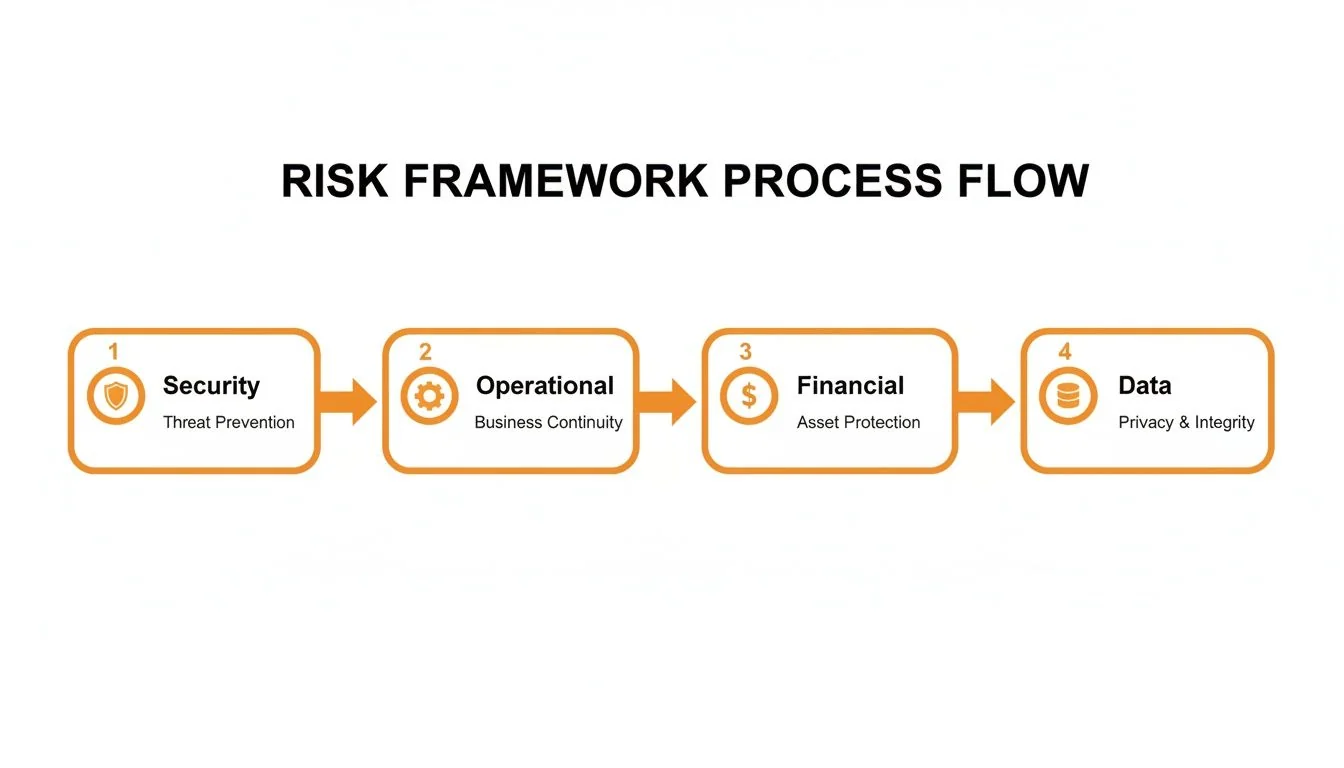
This structured process ensures your quantification efforts are comprehensive and cover every critical aspect of the migration.
Creating a Risk Heatmap for Clear Communication
After scoring all risks, visualize them using a risk heatmap. This grid plots likelihood on one axis and impact on the other, using a color-coded system to show severity.
This visual tool translates a spreadsheet of numbers into a clear narrative. Red indicates immediate danger, yellow suggests caution, and green signifies an acceptable risk.
This classic example of a risk heatmap from Wikimedia Commons demonstrates its intuitive nature.
The heatmap immediately focuses attention. The most dangerous risks cluster in the top-right corner, making it obvious where resources should be directed. In a meeting, a heatmap transforms the conversation from a debate over technical jargon to a strategic discussion about business priorities. Everyone can see the “red zone” and understand why specific items require immediate action. The heatmap becomes the centerpiece of your risk management strategy, driving everything from budget approvals to the project timeline.
Decoding Identity and Access Governance Gaps
Governance and access-risk blind spots are the most common and dangerous drivers of post-migration security incidents. Teams often focus on moving data and applications while overlooking the critical question of who can access what in the new cloud environment. This creates a massive, unquantified risk from day one.
A fundamental mistake is treating Identity and Access Management (IAM) as a copy-paste task. “Lifting and shifting” on-premises roles into the cloud is a setup for failure. On-prem roles are typically too broad and do not translate to the granular, service-based permissions of platforms like AWS, Azure, or Google Cloud.
This direct transfer leads to users having excessive access, a condition known as standing privilege. This creates a large attack surface where a single compromised account can provide an attacker with access to your entire cloud environment.
Rethinking Roles for the Cloud
Your cloud migration risk assessment must include a complete overhaul of your access model. This process starts with a commitment to the principle of least privilege, where every user and service is granted only the minimum permissions required for their job. Move away from monolithic roles and design fine-grained, cloud-native roles based on specific job functions.
Consider the difference:
- Database Administrator (On-Prem): This role likely has broad, server-level access.
- Cloud Database Operator (Cloud-Native): This role should be scoped to manage specific database instances (like Amazon RDS), with no ability to access underlying network configurations or virtual machines.
This shift requires a detailed analysis of daily user and application activities. While meticulous, it is one of the most powerful security controls you can implement during a migration.
The Non-Negotiable Segregation of Duties Analysis
For organizations migrating financial systems, ERPs, or other sensitive transactional data, a Segregation of Duties (SoD) analysis is non-negotiable. SoD is a foundational internal control designed to prevent fraud and errors by ensuring no single person has end-to-end control over a transaction.
For instance, the individual who can create a new vendor in your ERP should not also have permission to approve payments to that vendor. In the cloud, this requires meticulously checking that a user’s IAM role does not contain a “toxic combination” of permissions that violates SoD policies.
A classic blunder is assuming your on-prem SoD controls will just magically carry over to the cloud. They won’t. Cloud IAM permissions operate at a completely different layer and can easily bypass application-level controls if you’re not careful, opening up brand new avenues for fraud.
Recent data highlights this problem. A 2025 study found that 39% of organizations experienced security incidents caused by governance gaps created during cloud migration. The report also noted that half of organizations did not perform full SoD checks when redesigning roles. For details, see the 2025 Digital Transformation & Access Risk Report on pathlock.com.
Auditing Privileged Access and Automating Reviews
Establishing correct roles at the outset is only half the battle. Your governance, risk, and compliance (GRC) strategy requires continuous oversight through two key practices.
First, audit privileged access religiously. Constantly review accounts with high-level permissions, such as “root” or “admin” users. These accounts should rarely be used, their activity must be logged, and any action should trigger an immediate alert. Just-in-Time (JIT) access controls are invaluable here, granting elevated privileges only temporarily for a specific, approved task.
Second, automate your user access reviews. Manually reviewing every user’s permissions quarterly is inefficient and prone to human error. Use automated tools to run periodic access certifications. These systems can flag dormant accounts, excessive permissions, or roles that have drifted from their intended purpose, turning a manual audit into a manageable, automated workflow.
Building Your Risk Mitigation Playbook
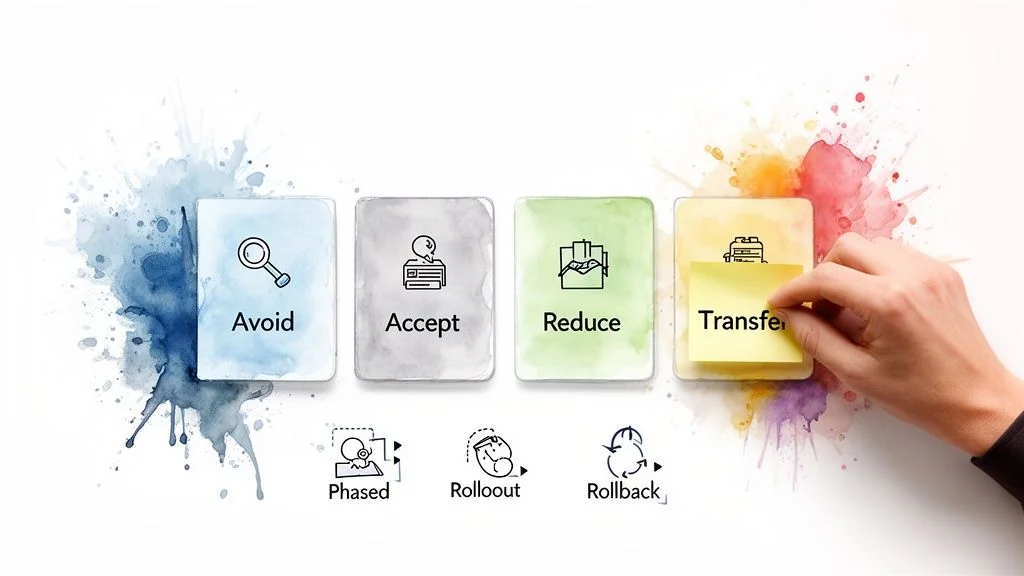
A completed risk heatmap is a diagnostic tool. Without an action plan, it is merely a document. The next step is to translate this insight into a concrete mitigation playbook that turns abstract threats into manageable tasks with clear owners and specific goals.
The classic risk management framework—Avoid, Accept, Reduce, and Transfer—provides a structured way to determine the right strategy for each identified and scored risk.
Mapping Risks to Mitigation Strategies
Your playbook must draw a direct line from every high-scoring risk on your heatmap to one of these four strategies. This ensures clarity from problem to solution, preventing critical threats from being overlooked.
Here is what each strategy looks like in a cloud migration context.
-
Avoid: Sidestep the risk by not performing the action that causes it. For example, if a non-critical legacy application has a very high risk score (Likelihood 5 x Impact 5) due to complex code and security vulnerabilities, the best action is to Avoid migrating it. Decommission it and replace it with a modern SaaS alternative.
-
Accept: Some risks are not worth the cost to fix. For a low-impact risk with a score of 2—such as a non-essential report running slowly for a week—you can formally Accept it. This must be a conscious, documented decision.
-
Reduce: This is where most effort will be focused. To Reduce a risk, you implement controls and change processes to lower its likelihood or impact. For the high risk of data loss during cutover, a reduction strategy would involve a phased migration and a detailed rollback plan executable in under 30 minutes.
-
Transfer: Shift the financial impact of a risk to a third party. For example, instead of building and managing a complex DDoS mitigation system, you can Transfer that operational burden to a service like AWS Shield, which is managed by the cloud provider.
Creating Actionable Reduction Plans
For high-priority risks designated for reduction, your playbook must be tactical. Vague goals like “improve performance” are ineffective. You need specific, actionable steps that directly lower the risk score.
An effective reduction plan for the operational risk of post-migration performance degradation would include:
- Rigorous Performance Testing: Before migration, conduct intensive load testing in a staging environment that mirrors your production setup.
- Phased Rollouts: Avoid a “big bang” cutover. Migrate users in waves, starting with a small internal group to identify and resolve issues before customers are affected.
- Documented Rollback Procedures: Detail the exact technical steps—every command and configuration change—required to revert to the on-premises system if performance benchmarks are not met.
Your playbook isn’t a static document; it’s a dynamic management tool. As you execute a mitigation tactic, like a phased rollout, you should go right back to your heatmap and adjust the risk score downwards. It’s a powerful way to visually demonstrate progress to stakeholders.
Tying It All Back to the Heatmap
This process is a continuous feedback loop. The heatmap identifies “red zone” problems, and the playbook provides the actions needed to move them into the “yellow” or “green” zones.
If vendor lock-in is a major financial risk, a “Reduce” strategy in your playbook might be: “Mandate the use of open-source, container-based technologies for all new application development to maintain platform agnosticism.” Once this policy is implemented, you can justifiably lower the impact score for that risk.
By methodically applying these strategies, your risk assessment transforms from a one-off report into a living guide for a secure transition. For teams moving to AWS, this approach aligns with their established frameworks. You can see how these principles align with these AWS migration best practices, which reinforce the need for structured risk reduction.
Evaluating Consulting Partners on Risk Management
Selecting the right consulting partner is a critical risk mitigation decision. Look beyond technical certifications; their methodology is what matters. A proven, repeatable process for assessing and managing migration risks is essential.
Your Request for Proposal (RFP) should demand specifics. Ask partners to detail their risk assessment framework, including the scoring models they use for impact and likelihood. An experienced partner will provide sanitized examples of risk heatmaps or mitigation playbooks from previous projects.
Scrutinizing Data Governance and Cost Modeling
Data handling is a primary source of risk. Over 40% of accidental data leaks during cloud moves are linked to poor data classification. Furthermore, 70% of companies underestimate their total data volume, complicating compliance efforts. You can find more detail in these insights on turning compliance challenges into resilience on itconvergence.com.
Push potential partners on their data governance experience, particularly in regulated industries.
Your RFP needs pointed questions. Try something like: “Walk us through your process for data classification and integrity validation for a workload that has to meet PCI-DSS” or “Which specific tools do you use to automate control testing against CIS benchmarks?”
This level of detail distinguishes experienced firms from the rest.
A partner’s financial governance capabilities are equally important. Their ability to build a detailed cost model indicates their risk management discipline. Request sample Total Cost of Ownership (TCO) analyses they have created. How do they benchmark performance to prevent overspending on resources post-migration?
For more guidance, our guide to choosing top-tier cloud migration consultants is a valuable resource, and our ranked list of the top cloud consulting firms provides a data-backed starting point. The right partner not only gets you to the cloud but also protects your investment once you are there.
Got Questions? Here’s What You Should Know
When Exactly Do We Need to Do This Risk Assessment?
Conduct the risk assessment at the beginning, during the discovery and planning phase. Do not move any data or applications until a solid risk assessment is in place.
However, it is not a one-time task. Treat it as a living document. The initial assessment establishes a baseline for your migration strategy. Revisit and update it as the project progresses, particularly after finalizing the cloud architecture and before each migration wave. This ensures you stay ahead of new risks as project details evolve.
How Deep Do We Really Need to Go with This?
The required level of detail depends on what you are migrating. For a simple, non-critical application, a high-level review may suffice.
For critical systems—such as your ERP, a core financial platform, or anything handling sensitive customer data—a granular approach is necessary. An effective cloud migration risk assessment for these systems must examine every application, data type, and infrastructure component to create a clear, actionable roadmap of potential pitfalls.
What are the “Gotchas” We’re Most Likely to Miss?
While security breaches and budget overruns are common concerns, less tangible risks often cause significant issues.
Here are a few that frequently catch teams off guard:
- People Problems: Do not underestimate the cultural shift and skills gap. Is your team prepared to operate in a cloud-first environment? A lack of training or buy-in can silently sabotage the project.
- Surprising Performance Dips: Legacy applications not built for the cloud can experience significant latency, creating user frustration.
- Compliance Gaps: Replicating on-prem security controls in the cloud may not be sufficient. If they are not mapped correctly to cloud-native equivalents, you can inadvertently create serious compliance vulnerabilities.
- Hidden Dependencies: Failing to map all inter-application dependencies is a classic mistake that can lead to a cascade of failures during the final cutover.
The migrations that go smoothly are the ones where the assessment goes beyond a technical checklist. You have to be honest about your business and operational readiness. Acknowledging these often-overlooked areas is what separates a painful transition from one that actually delivers the ROI you were promised.
Finding the right partner with a battle-tested risk management framework is non-negotiable. At CloudConsultingFirms.com, we cut through the noise with data-driven comparisons of the top consulting firms. You can evaluate their specific methodologies for risk assessment, compliance, and cost modeling side-by-side.
Check out our 2025 guide to find a partner who can help secure your migration from start to finish. Learn more by visiting our ranked guide to the top cloud consulting firms.
Peter Korpak
Chief Analyst & Founder
Data-driven market researcher with 10+ years helping software agencies and IT organizations make evidence-based decisions. Former market research analyst at Aviva Investors and Credit Suisse. Analyzed 200+ verified cloud projects (migrations, implementations, optimizations) to build Cloud Intel.
Connect on LinkedInContinue Reading
Cloud Migration
Comprehensive guide and rankings for cloud migration
The No-Fluff Cloud Migration Assessment Checklist for 2025
Don't migrate blind. Use our battle-tested 10-point cloud migration assessment checklist to eliminate 90% of costly surprises and ensure success.
10 Actionable Cloud Migration Best Practices
Discover 10 actionable cloud migration best practices for 2025. Our guide covers strategy, security, and cost optimization to ensure a successful move.
Stay ahead of cloud consulting
Quarterly rankings, pricing benchmarks, and new research — delivered to your inbox.
No spam. Unsubscribe anytime.