Your Playbook for an AI-Ready Google Cloud Migration
A Google Cloud migration is no longer a simple lift-and-shift project; it’s a strategic move to build an AI-ready foundation. With the C-suite demanding adoption of powerful tools like Gemini, engineering leaders are under pressure to accelerate timelines. Executing without a data-backed plan invites major cost overruns and security failures, which is why partnering with Google Cloud Consulting expertise is essential.
Why Your Google Cloud Migration Strategy Needs a Refresh

The directive from leadership is clear: integrate AI to maintain a competitive edge. This pressure makes a Google Cloud migration a top priority for CTOs and VPs of Engineering. While Google’s sophisticated AI and data analytics platforms are the primary draw, they also expose the flaws in legacy migration playbooks.
Moving virtual machines from an on-prem data center to GCP misses the point. The strategic win is designing an architecture that handles demanding AI workloads without performance degradation or budget blowouts, often achieved through Google Cloud Managed Services. This requires a different approach from day one.
The AI Imperative Is Forcing a New Approach
The market is moving at an unprecedented pace. In Q1 2024, global spending on cloud infrastructure hit $90.9 billion, a 21% year-over-year increase, according to a full market analysis from Omdia. Google Cloud captured 10% of that market with a 31% growth rate, fueled by the demand for scalable, high-performance AI environments.
This growth is not about spending more; it’s about investing smarter. A reactive migration, executed without a rigorous plan, results in predictable failures:
- Skyrocketing Costs: Activating powerful AI models without strict FinOps controls is a direct path to budget overruns that negate any potential ROI.
- Performance Bottlenecks: An environment not architected for machine learning will fail to deliver the required performance, dooming AI projects from the start.
- Security Gaps: Rushed migrations treat security as an afterthought, exposing valuable new workloads to significant vulnerabilities.
The “migrate now, optimize later” philosophy is a recipe for disaster in the AI era. A modern Google Cloud migration demands that FinOps, security, and performance architecture are built-in from the initial design.
From Technical Project to Strategic Pivot
Treating a Google Cloud migration as just another IT project guarantees failure. It is a strategic business decision linked directly to unlocking new capabilities. This guide is a playbook for engineering leaders facing this challenge. It provides actionable steps for planning and executing a migration that not only moves you to Google Cloud but positions you to capitalize on its most advanced tools.
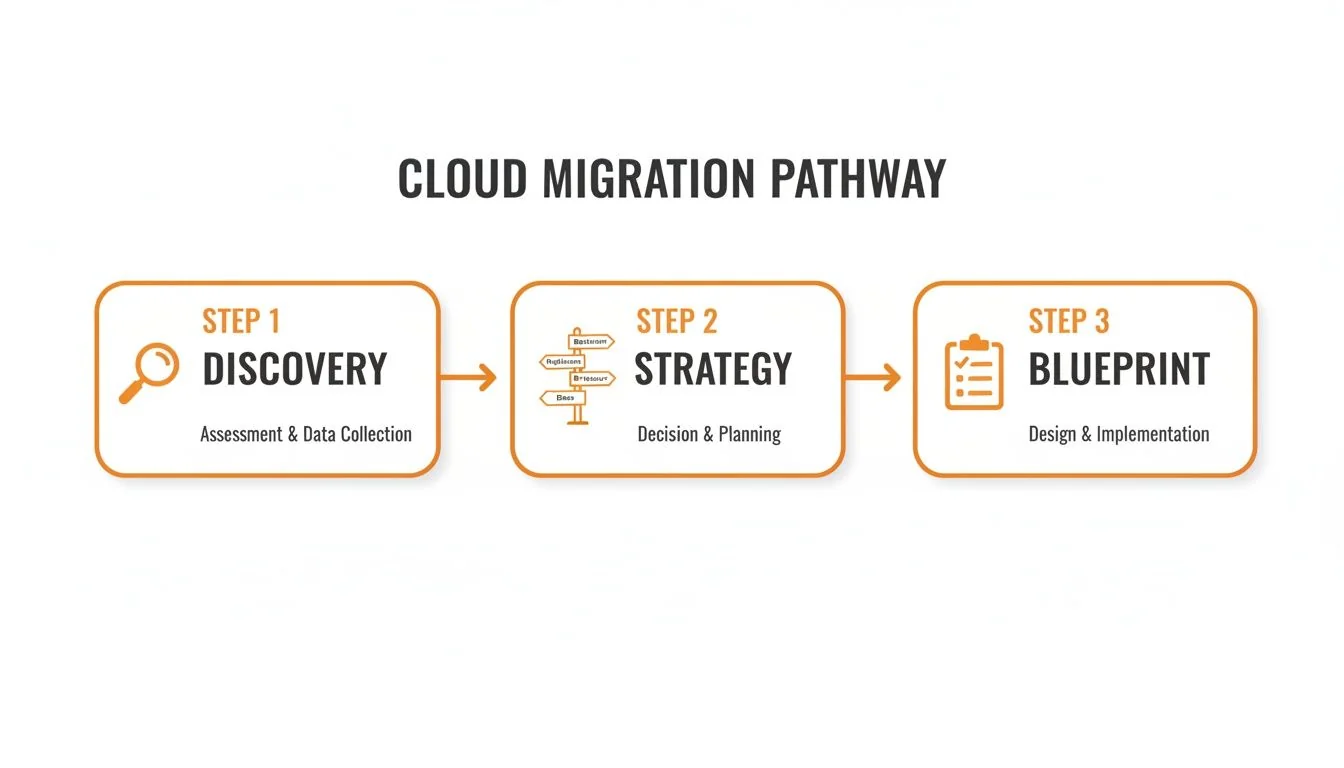
Mapping Your Migration Path with Strategic Discovery
Jumping into a Google Cloud migration without a data-driven plan is a critical error. Before moving a single server, a thorough discovery and assessment is mandatory. This is not just an inventory of servers; it’s a deep analysis to determine what to migrate, what to decommission, and what to retain. This process ties every migration decision to a specific business objective.
Defining Your Strategy with the 6 Rs
Once discovery is complete, the “6 Rs” framework provides a clear language for deciding the fate of each application. The data gathered during discovery dictates the right “R” for each workload, a choice that directly impacts project cost, timeline, and ROI.
- Rehost (Lift-and-Shift): Move the application to Google Cloud with no code changes. This is the fastest method for a data center exit but offers minimal cloud-native benefits.
- Replatform (Lift-and-Tinker): Make targeted changes to leverage cloud services, such as moving a self-managed database to a fully managed service like Google Cloud SQL.
- Refactor/Rearchitect: Rewrite significant portions of the application to be fully cloud-native. This is the most complex approach but delivers the highest ROI in performance, scalability, and long-term cost savings.
- Repurchase: Replace a self-hosted tool with a SaaS alternative, like switching from an on-premise email server to Google Workspace.
- Retire: Decommission applications with no business value. AWS Prescriptive Guidance recommends using business value, operating cost, security risk, utilization, and recent connections as retirement signals. Require the migration team to document the application’s owner, dependencies, and decommissioning plan before removing it from scope.
- Retain: Keep applications on-premise due to complex dependencies, regulatory constraints, or a negative cost-benefit analysis for migration.
Making these decisions requires a systematic evaluation. Our cloud migration assessment checklist provides a structured approach to ensure no detail is overlooked.
The choice between a quick rehost and a full refactor is a strategic trade-off. Rehosting meets immediate deadlines, like a data center contract expiration. Refactoring is a long-term investment in agility and innovation. The most successful migration strategies employ a mix of these approaches.
Migration Strategy Evaluation Framework
This table helps you select the right migration approach based on your goals, workload complexity, and required effort. Match your business objectives to the most suitable strategy.
| Strategy | Description | Best For | Typical Timeline | Cost Impact |
|---|---|---|---|---|
| Rehost | Move applications as-is (lift-and-shift). | Rapid data center exits; low-risk apps. | 1-3 Months | Low upfront cost; moderate long-term. |
| Replatform | Minor changes to use cloud services. | Gaining quick wins on performance or cost. | 2-6 Months | Moderate upfront cost; better long-term. |
| Refactor | Rebuild as a cloud-native application. | Core business apps needing high scalability. | 6-18+ Months | High upfront cost; lowest long-term. |
| Repurchase | Switch to a SaaS alternative. | Replacing commodity software (e.g., CRM, email). | 1-3 Months | Varies (Subscription cost). |
| Retire | Decommission obsolete applications. | Reducing IT complexity and maintenance. | < 1 Month | Immediate cost savings. |
| Retain | Keep application in its current environment. | Legacy systems with high migration cost/risk. | N/A | No change. |
A balanced portfolio approach, selecting the right “R” for each workload, delivers the optimal outcome.
Building Your Blueprint for Execution and Risk Mitigation
With your migration strategy defined, the next step is building the detailed execution plan. This blueprint translates high-level goals into a concrete project plan with realistic timelines and clear roles and responsibilities.
A critical component of this blueprint is risk mitigation. Identify potential failure points—from data integrity issues to post-migration performance degradation—and map each one to a pre-tested rollback procedure for every migration wave.
Tooling and Automation
The speed and risk profile of your migration depends heavily on your tooling choices. For a Google Cloud migration, this involves a combination of native GCP services and third-party tools.
- Google Cloud Migrate: This is the primary tool for assessing and moving VMs. Its native integration with GCP provides a direct path for rehosting workloads.
- Third-Party Automation Platforms: Tools like AI-powered code translation services automate parts of the refactoring process, such as converting legacy codebases, which dramatically reduces the manual effort required for complex re-architecture projects.
The Runbook and Cutover Plan
The runbook is the minute-by-minute script for the migration event itself. A poorly planned cutover will negate months of work.
A credible migration plan should include a documented, rehearsed runbook with owners, escalation paths, rollback criteria, and go/no-go gates. Google’s migration-plan validation guidance emphasizes testing, rollback planning, and validating each deployment before production cutover.
This document is both a technical script and a communication plan. It ensures every stakeholder—from engineers to the C-suite—knows the exact sequence of events, communication channels, and the go/no-go criteria before, during, and after the cutover. This living document must be tested and refined with each migration wave. Without it, you are inviting chaos into the most critical phase of your project.
Getting Security and FinOps Right from Day One
The cutover is not the finish line. Post-migration success is determined by security and cost management. Treating these as afterthoughts guarantees failure; they must be integrated into your plan from the beginning.
With 94% of organizations using cloud infrastructure and public cloud spending projected to hit $679 billion by 2025, financial governance is not optional. The promised 20-30% cost savings from leaving a data center is not automatic; it is earned through disciplined FinOps. For more on this trend, see what this trend means for cloud spending on DuploCloud.
Weaving Security into Your GCP Foundation
Security on Google Cloud requires a defense-in-depth strategy starting at the resource hierarchy’s highest level. Implement Organization Policies immediately to act as guardrails, preventing critical misconfigurations across all projects. For example, create policies to block public IPs on VMs by default or mandate customer-managed encryption keys (CMEK) for all storage buckets.
Next, map Google Cloud’s security controls to your specific compliance obligations, whether HIPAA, PCI DSS, or SOC 2. Google Security Command Center (SCC) is your central tool for this.
Security Command Center is the central nervous system for GCP security. It provides a single pane of glass to identify vulnerabilities, detect threats, and maintain compliance. Not using it from Day One is a critical operational failure.
Configuring SCC to continuously monitor for configuration drift against your compliance benchmarks creates a validation loop that ensures your environment remains secure long after the migration project is complete.
Establishing a FinOps Culture Early
A surprise bill will undermine a successful migration. The principles of FinOps—bringing financial accountability to engineering teams—are non-negotiable. Empower engineers with the visibility and tools to make cost-aware decisions through these actions:
- Budgets and Alerts: Create granular budgets for projects, teams, or services. Configure alerts to trigger at 50%, 75%, and 90% of spend to provide an early warning system.
- Committed Use Discounts (CUDs): For predictable workloads, CUDs offer up to a 57% discount on compute resources for a one- or three-year commitment. Analyze usage patterns to identify ideal candidates.
- Active Assist: Use Google’s built-in recommendation engine to find idle resources and suggest rightsizing opportunities. This is the low-hanging fruit of cost optimization.
Building this FinOps muscle from the start transforms cost management from a reactive fire drill into a proactive, continuous process, ensuring the migration delivers on its financial objectives.
How to Select the Right Google Cloud Migration Partner
Executing a complex Google Cloud migration is not a solo mission. Selecting a seasoned consulting partner is often the deciding factor between a smooth transition and a stalled, over-budget project. The challenge is to see past marketing materials to find a firm with genuine, battle-tested expertise. The right partner acts as a force multiplier, accelerating timelines and upskilling your team.
Vendor Evaluation Checklist: Vetting for True Expertise
A partner’s official Google Cloud designation is the starting point, not the conclusion. Use this checklist to dig deeper.
- [ ] Certification Depth:
- Does the proposed team include multiple individuals with advanced certifications like Professional Cloud Architect, Professional Data Engineer, or Professional Cloud Security Engineer? This demonstrates a real commitment to GCP.
- [ ] Validated Migration Experience:
- Can the firm provide specific, relevant case studies of migrating a company of your size, in your industry, with a similar tech stack? An AWS expert is not automatically a GCP expert.
- [ ] Industry and Compliance Knowledge:
- Does the partner have direct, hands-on experience building and validating HIPAA, PCI DSS, or SOC 2 controls on GCP? Theoretical knowledge is insufficient for an audit.
- [ ] Methodology and Knowledge Transfer:
- Across the 50 cloud consulting firms we profile, require evidence of a repeatable migration methodology and a knowledge-transfer plan tailored to your team.
Key Questions for Your RFP
Your Request for Proposal (RFP) questions must force a vendor to demonstrate their process, not just quote a price.
- Describe your end-to-end migration methodology. How do you handle discovery, wave planning, application testing, and cutover? What does a typical week-to-week engagement look like?
- What is the proposed team structure for our project? What are the key roles, their specific experience, and will they be 100% dedicated to our project?
- How do you handle knowledge transfer and team enablement? What specific training, documentation, and paired-work sessions will you use to ensure our team can own the environment post-engagement?
- Provide a sanitized example of a migration runbook you have used on a previous project. The level of detail in their runbook reveals their operational discipline.
Finding the right fit means matching your project’s complexity to the right firm. To see detailed profiles and compare top contenders, consult our Google Cloud Partner Directory. This provides the data needed to make an informed decision aligned with your long-term goals.
Your Google Cloud Migration Questions, Answered
As an engineering leader planning a move to Google Cloud, you have pressing questions. Here are direct answers based on real-world project data.
How Long Does a Typical Google Cloud Migration Take?
Timelines vary based on complexity and migration path. A straightforward “rehost” (lift-and-shift) of a few dozen VMs typically takes 2-4 months. A major “refactor” of hundreds of applications can take 12-24 months or longer.
A rushed discovery phase leaves dependencies undiscovered until late in the migration. Ask the selected firm to show how its assessment captures application ownership, data flows, integration points, and rollback constraints before it commits to a timeline.
What Are the Most Common GCP Migration Pitfalls?
Three mistakes repeatedly cause project failures:
- Shallow Discovery: This is the number one project killer. It leads directly to scope creep, technical surprises, and blown budgets.
- No FinOps Strategy: Sticker shock after migration is a common result of failing to build a plan for cost control from the start.
- Botched Knowledge Transfer: The consulting partner leaves, and the internal team is unable to manage the new environment, creating long-term dependency and operational debt.
How Do I Choose Between AWS, Azure, and Google Cloud?
The decision must be driven by your specific business goals and existing tech stack.
- Google Cloud is the leader for data analytics, machine learning, and containerized workloads with Kubernetes. If your strategy is built on AI/ML, GCP is the top contender.
- AWS offers the most market maturity and the widest breadth of services, making it a strong general-purpose choice.
- Azure is the natural choice for organizations heavily invested in the Microsoft ecosystem due to its seamless integrations.
The key is to map your core technical requirements and long-term vision to each platform’s strengths, not to conduct a simple feature-to-feature comparison.
Next Steps: Planning a Google Cloud migration is complex, but selecting the right partner should not be. CloudConsultingFirms.com provides independent, data-backed comparisons of top firms to help you make a confident decision based on verified experience and project results. Find your ideal GCP partner today.
Frequently Asked Questions
What is the AI imperative is forcing a new approach?
The market is moving at an unprecedented pace. In Q1 2024, global spending on cloud infrastructure hit $90.9 billion, a 21% year-over-year increase, according to a full market analysis from Omdia. Google Cloud captured 10% of that market with a 31% growth rate, fueled by the demand for scalable, high-performance AI environments.
What is from technical project to strategic pivot?
Treating a Google Cloud migration as just another IT project guarantees failure. It is a strategic business decision linked directly to unlocking new capabilities. This guide is a playbook for engineering leaders facing this challenge.
How do you define your strategy with the 6 rs?
Once discovery is complete, the "6 Rs" framework provides a clear language for deciding the fate of each application. The data gathered during discovery dictates the right "R" for each workload, a choice that directly impacts project cost, timeline, and ROI.
What is migration strategy evaluation framework?
This table helps you select the right migration approach based on your goals, workload complexity, and required effort. Match your business objectives to the most suitable strategy.
What is tooling and automation?
The speed and risk profile of your migration depends heavily on your tooling choices. For a Google Cloud migration, this involves a combination of native GCP services and third-party tools.
Peter Korpak
Founder
Data-driven market researcher with 15+ years helping software agencies and IT organizations make evidence-based decisions. Former market research analyst at Aviva Investors and Credit Suisse. Built the 50 cloud consulting firm profiles published on cloudconsultingfirms.com from publicly available evidence.
Connect on LinkedInContinue Reading
View all insights →Google Cloud
Browse public Google Cloud consulting firm profiles and buyer guidance
Anthos vs GKE: When Each Wins (and When You're Overpaying)
Anthos was dissolved as a GKE tier in Sept 2025. Here's what you actually pay for in 2026 and the 3 configs where teams overpay. Independent Cloud Consulting Intel →
BigQuery vs Snowflake vs Redshift: Which Wins for Mid-Market in 2026
BigQuery vs Snowflake vs Redshift, modeled at 10TB/100TB/1PB with 3-year TCO and exit egress. Independent Cloud Consulting Intel analysis →
Stay ahead of cloud consulting
Quarterly directory updates, pricing benchmarks, and new research — delivered to your inbox.
No spam. Unsubscribe anytime.