Cloud Cost Optimization Techniques: A Practical Guide
Cloud spending is a top CIO priority, but Gartner estimates 80% of organizations will overspend their cloud budgets through 2025 due to a lack of FinOps. This challenge isn’t about just shutting down unused instances; it requires a strategic approach. Overprovisioning, mismatched services, and inefficient data handling are common culprits that inflate monthly bills. Without a clear strategy, cloud costs can quickly spiral, turning a business enabler into a financial liability.
This article provides an actionable guide to the 10 most impactful cloud cost optimization techniques. We move beyond generic advice to give you specific implementation steps for AWS, Azure, and GCP. The goal is to equip technology and finance leaders with a practical playbook for building a culture of cost accountability.
You will learn to:
- Commit strategically with Reserved Instances and Savings Plans.
- Leverage on-demand pricing with Spot Instances and Preemptible VMs.
- Eliminate waste through right-sizing and workload optimization.
- Align capacity with demand using auto-scaling.
- Optimize architecture with containers and serverless solutions.
Each technique offers a different lever. Some are quick wins that can cut your bill in weeks, while others represent architectural shifts that embed long-term cost efficiency. This guide provides the tactical details to move from theory to tangible financial results.
1. Reserved Instances (RIs) and Savings Plans
One of the most foundational cloud cost optimization techniques is shifting from on-demand pricing to commitment-based models. Reserved Instances (RIs) and Savings Plans (or Committed Use Discounts in GCP) offer discounts of 30% to 72% for a one- or three-year commitment to a specific amount of compute usage. This is ideal for organizations with predictable, steady-state workloads that form their infrastructure baseline.
RIs provide a capacity reservation and discount for a specific instance type in a particular region, suiting highly predictable workloads like a core database. Savings Plans offer more flexibility, providing a discount on usage across various instance families, sizes, and regions, which is better for dynamic environments.
Implementation and Strategic Use
Leveraging these models requires a strategic blend. Cover 70-80% of your predictable baseline usage with RIs or Savings Plans, leaving the remaining 20-30% for on-demand or spot instances to handle variable traffic. For instance, a SaaS company can pre-purchase RIs for its stable customer base while using on-demand instances for new user sign-ups or seasonal peaks.
Actionable Tips for Implementation
- Model Scenarios: Use cloud provider calculators (like the AWS Pricing Calculator) to model savings. Compare a 1-year, no-upfront Savings Plan against a 3-year, all-upfront RI to understand the trade-offs between commitment, flexibility, and discount size.
- Start Conservatively: If new to commitment models, begin with a 1-year term. This lets you validate utilization forecasts before locking into longer, more deeply discounted 3-year deals.
- Monitor and Adjust: Consistently review utilization reports in tools like AWS Cost Explorer or Azure Cost Management. If you underutilize commitments, adjust your next purchase. If on-demand spending remains high, increase your commitment coverage.
- Consider Liquidation: For AWS users, the RI Marketplace allows selling unused Standard RIs if your workload needs decrease unexpectedly, mitigating financial risk.
2. Spot Instances and Preemptible VMs
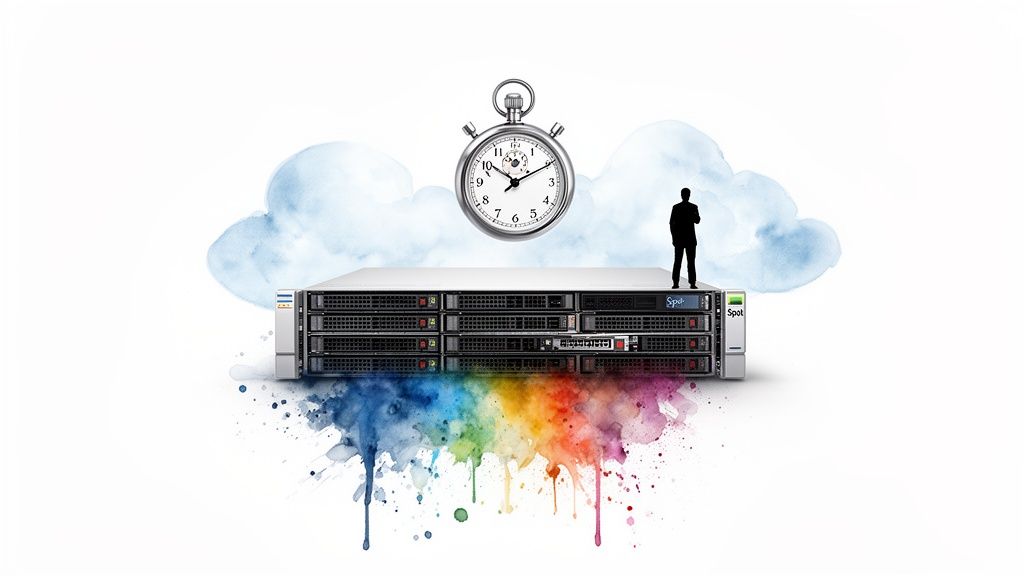
Tapping into unused cloud capacity is one of the most powerful cloud cost optimization techniques, offering discounts of up to 90% compared to on-demand prices. Spot Instances (AWS), Spot VMs (GCP), and Spot Virtual Machines (Azure) are spare compute resources sold at a steep discount. The trade-off is that these instances can be reclaimed by the provider with short notice, typically seconds to a couple of minutes.
This model is ideal for workloads that are fault-tolerant, stateless, or can be easily stopped and restarted. Strategically using this ephemeral capacity can drastically reduce costs for massive-scale computing tasks like data processing, batch jobs, and rendering farms.
Implementation and Strategic Use
To use Spot successfully, architect applications for resilience and interruption. It’s best used for distributed tasks managed by an orchestrator. For example, a genomics research firm can use a fleet of Spot VMs to process massive datasets in parallel. If a few instances are terminated, the orchestrator reassigns those tasks to new Spot instances, ensuring the overall job completes at a fraction of the on-demand cost.
Actionable Tips for Implementation
- Diversify Your Fleet: Use services like AWS Spot Fleet or GCP Managed Instance Groups to request capacity across multiple instance types, sizes, and availability zones. This diversification significantly reduces the likelihood of all your instances being terminated simultaneously.
- Implement a Hybrid Model: Run a mixed fleet for workloads requiring high availability. Maintain a small baseline of On-Demand or RI-covered instances (20-30%) to guarantee capacity, while using Spot for the remaining 70-80% to handle processing and scale elastically.
- Architect for Interruption: Design applications with built-in checkpointing. This allows a long-running job to save its state periodically, so if an instance is reclaimed, it can resume from the last saved point rather than starting over.
- Automate Responses: Use termination notices (e.g., EC2 Spot Instance interruption notices) to trigger automated scripts. These scripts can gracefully shut down processes, save state, and drain connections before the instance is terminated.
3. Right-Sizing and Workload Optimization
Right-sizing is a fundamental cloud cost optimization technique focused on matching infrastructure resources to actual workload demand. It involves analyzing performance metrics like CPU, memory, and network utilization to eliminate waste from overprovisioned instances. This process is often the fastest path to significant savings, with organizations frequently achieving 20-40% cost reduction without complex architectural changes.

“Lift-and-shift” migrations often cause this problem, where on-premises server specs are replicated in the cloud without considering its elasticity. For example, a financial firm might discover that 40% of its database instances have less than 10% CPU utilization, representing a massive opportunity for downsizing.
Implementation and Strategic Use
A successful right-sizing strategy is data-driven. The goal is to identify and modify consistently underutilized resources. For instance, an e-commerce business can analyze post-holiday traffic data to adjust instance types, downsizing servers that were scaled up for peak demand. The key is to find the “Goldilocks” configuration: not too big, not too small, but just right for the workload’s performance needs.
Actionable Tips for Implementation
- Establish a Baseline: Before making changes, collect at least 30 days of performance data (CPU, memory, network I/O) to understand true utilization patterns. This prevents premature downsizing based on short-term lulls.
- Leverage Native Tools: Use cloud provider services like AWS Compute Optimizer, Azure Advisor, and Google Cloud Recommender. These tools use machine learning to analyze your usage and provide specific instance-type recommendations.
- Right-Size First, Commit Later: Always perform right-sizing analysis before purchasing Reserved Instances or Savings Plans. Committing to a discount on an oversized instance only locks in waste at a lower price.
- Implement in Phases: Start with non-critical environments like development and testing to build confidence and refine your process. Schedule changes during maintenance windows to minimize impact on production workloads.
4. Auto-Scaling and Demand-Based Capacity Planning
One of the most powerful cloud cost optimization techniques is eliminating the waste of paying for idle resources. Auto-scaling achieves this by dynamically adjusting compute capacity to match real-time demand. Instead of provisioning for peak traffic 24/7, this strategy adds resources during demand spikes and removes them during lulls, ensuring you only pay for what you use.
This approach aligns infrastructure costs directly with operational load. For example, an e-commerce platform can use auto-scaling to handle a flash sale by scaling from 20 to 200 instances, then automatically scale back down. This combination of elasticity and automation can reduce compute costs for variable workloads by 30-50%.
Implementation and Strategic Use
Effective auto-scaling hinges on defining precise triggers and policies. These can be based on performance metrics like CPU utilization or on predictable schedules. A common strategy is to set a target metric, such as keeping average CPU utilization below 70%. When the metric is breached, the auto-scaler adds instances; when it drops below a lower threshold (e.g., 30%), it terminates unneeded ones.
For predictable traffic, scheduled scaling is highly effective. A SaaS platform can schedule its environment to scale up every weekday morning and scale back down in the evening, capturing significant savings overnight and on weekends.
Actionable Tips for Implementation
- Start with Conservative Policies: Begin with a higher utilization target (e.g., 70-80% CPU) and longer cooldown periods. This prevents “thrashing,” where instances are rapidly added and removed due to minor fluctuations.
- Use Scheduled Scaling for Predictability: For workloads with known patterns, like a business application used from 9 AM to 5 PM, use scheduled actions to pre-scale capacity. This is more cost-efficient than waiting for a performance metric to trigger scaling.
- Combine with Commitment Models: Cover your absolute baseline, non-scaling capacity with Reserved Instances or Savings Plans. Allow the auto-scaling group to add and remove on-demand instances on top of this committed base.
- Leverage Application-Level Metrics: For more accurate scaling, use custom metrics that reflect true application load, such as requests per second or queue depth, rather than relying solely on infrastructure-level metrics like CPU.
5. Container and Serverless Architecture Optimization
One of the most impactful cloud cost optimization techniques is shifting from traditional virtual machines to cloud-native approaches. Adopting containers (like Docker and Kubernetes) and serverless platforms (like AWS Lambda or Azure Functions) changes how you pay for compute. Instead of paying for idle server time, you pay only for the precise resources consumed, often leading to cost reductions of 40-70% for suitable workloads.
Containers improve resource density by packaging applications, allowing multiple isolated workloads to run on a single host. Serverless takes this further with a pay-per-execution model, completely abstracting away the infrastructure. This is ideal for event-driven or intermittent workloads, such as a media company using Lambda for on-demand video encoding, which can reduce processing costs by over 70% compared to running a dedicated VM fleet.
Implementation and Strategic Use
A successful strategy involves identifying workloads best suited for this shift. Start with stateless, event-driven tasks like image processing, data transformation, or scheduled batch jobs. For more complex applications, container orchestration with Kubernetes provides a powerful platform to manage deployment and scaling efficiently.
Adopting these models requires a mindset shift towards a cloud-native architecture. The goal is to match the workload’s characteristics to the most cost-effective compute model: serverless for variable traffic, containers for microservice-based applications, and a small, optimized VM footprint for legacy systems.
Actionable Tips for Implementation
- Start with Event-Driven Workloads: Begin migrating tasks triggered by events, such as file uploads or queue messages. These are natural fits for serverless functions and provide quick wins.
- Right-Size Function Memory: In serverless, memory allocation also dictates CPU power. Test different memory settings; a higher allocation can sometimes reduce execution time and lower the overall cost.
- Monitor Execution Costs: Use cloud monitoring tools to track invocation counts, duration, and associated costs. Set alerts to catch unexpected usage spikes before they lead to significant overspending.
- Manage Cold Starts: For latency-sensitive applications, pre-warm functions with scheduled pings or use provisioned concurrency features to keep them ready, managing the associated cost trade-off.
6. Storage Optimization and Tiering
An often overlooked cloud cost optimization technique is actively managing your data storage. This involves analyzing data access patterns and automatically moving data to progressively cheaper storage tiers. By combining this with data lifecycle policies and compression, organizations can cut storage costs by 50-80% without compromising availability or compliance.
This approach is based on the principle that data value and access frequency diminish over time. Cloud providers like AWS (S3), Azure (Blob Storage), and GCP (Cloud Storage) offer a spectrum of storage classes, from high-performance standard tiers to extremely low-cost archival tiers.

Implementation and Strategic Use
The core of implementation is creating automated lifecycle policies. For example, a healthcare organization can set a policy to automatically move patient records from a “hot” tier to an infrequent access tier after 180 days, and then to an archival tier after seven years to meet regulatory requirements, reducing backup storage costs by over 60%.
Actionable Tips for Implementation
- Analyze Access Patterns: Use tools like Amazon S3 Storage Lens or Azure Storage Analytics to review object access patterns over a 30- to 90-day period. This data is critical for defining effective lifecycle rules.
- Automate with Lifecycle Policies: Define rules based on data type and compliance needs. A common pattern is moving logs to infrequent access after 30 days and archiving regulated data for its full retention period.
- Leverage Intelligent Tiering: For workloads with unknown or changing access patterns, use automated services like AWS S3 Intelligent-Tiering. These services monitor data access and move objects between tiers for you.
- Audit and Delete Orphans: Regularly audit and delete orphaned resources like unattached EBS volumes or old snapshots, which often account for significant unnecessary storage spend.
- Test Retrieval Costs: Before moving critical data to archive tiers (like AWS Glacier Deep Archive), perform a test retrieval. Understand both the latency (which can be hours) and the cost to avoid unexpected bills or delays during a recovery event.
7. Multi-Cloud and Hybrid Cloud Arbitrage
An advanced cloud cost optimization technique is to strategically distribute workloads across multiple providers like AWS, Azure, and GCP. This multi-cloud arbitrage leverages pricing variations and unique service offerings. By matching workloads to the provider with the best price-performance ratio, organizations can achieve savings of 15-25% while avoiding vendor lock-in.
This strategy treats cloud providers as a portfolio of services. For instance, an enterprise might run compute-intensive batch processing on GCP for its cost-effective instances, host databases on Azure for compliance, and serve APIs from AWS for its robust ecosystem. This ensures each component runs on the most economically advantageous platform.
Implementation and Strategic Use
A successful multi-cloud strategy requires a deep understanding of each provider’s pricing and a robust infrastructure-as-code (IaC) practice. Using tools like Terraform or platforms like Kubernetes abstracts the underlying infrastructure, making it easier to deploy applications consistently across clouds. The goal is a portable architecture where workloads can be moved to capitalize on cost advantages.
Actionable Tips for Implementation
- Map Workloads to Strengths: Analyze key workloads and map them to each provider’s pricing. To inform your decisions, compare cloud service providers.
- Start with Stateless Applications: Begin your multi-cloud journey with non-critical, stateless, or batch-processing workloads. These are easier to migrate and pose less risk than stateful applications like core databases.
- Leverage IaC for Portability: Invest in IaC tools like Terraform and container orchestration with Kubernetes. This creates a cloud-agnostic deployment layer, which is the technical foundation for effective arbitrage.
- Monitor Egress Costs Vigorously: The biggest risk in a multi-cloud strategy is data transfer (egress) fees. A workload that saves 20% on compute can become 30% more expensive if it frequently moves large datasets between clouds. Model these costs carefully.
8. Database Optimization and Managed Service Migration
Another powerful cloud cost optimization technique is moving from self-managed databases on VMs to cloud-native managed services. Migrating to platforms like Amazon RDS, Google Cloud SQL, or Azure Database significantly reduces operational overhead. These services automate tasks like patching, backups, and failover, freeing up DBA time and cutting indirect labor costs by 40-60%.
Beyond migration, optimizing database performance is crucial. Refining inefficient queries, implementing proper indexing, and managing connection pools can reduce database instance size and resource consumption by 20-40%. This dual approach creates substantial and sustainable savings.
Implementation and Strategic Use
The decision to migrate hinges on a total cost of ownership (TCO) analysis. While a managed service may have a higher direct instance cost than a self-hosted VM, savings from reduced DBA workload and automated high-availability often yield a lower TCO. For example, a startup can migrate a self-managed PostgreSQL cluster to AWS Aurora, leveraging its auto-scaling to handle transactional bursts without paying for peak capacity 24/7.
This strategy is ideal for teams looking to focus on application development rather than infrastructure management. To learn more, you can learn more about managed cloud services and their impact on operational efficiency.
Actionable Tips for Implementation
- Profile and Analyze: Use tools like AWS Performance Insights or native database slow query logs to identify resource-intensive queries. Use
EXPLAINplans to understand execution paths and pinpoint missing indexes. - Right-Size Based on Metrics: Analyze historical CPU, memory, and IOPS metrics. Right-size your managed database instance to match actual workload demands, not theoretical peaks.
- Implement Connection Pooling: For applications with many short-lived connections, use a connection pooler like PgBouncer or ProxySQL to reduce CPU and memory overhead by reusing connections.
- Leverage Read Replicas: For read-heavy applications, offload traffic from your primary write instance to one or more read replicas to scale read performance and reduce load.
- Audit Licensing: If migrating a commercial database like Oracle or SQL Server, conduct a thorough license audit. Companies often find they are over-licensed, and migration is a perfect opportunity to correct this.
9. Network and Data Transfer Cost Optimization
Network charges are an often overlooked part of any cloud bill, sometimes accounting for 10-20% of the total spend. This cloud cost optimization technique focuses on minimizing data transfer costs—including data egress to the internet, inter-availability zone (AZ) traffic, and cross-region communication—which can yield savings of 30-50% while improving application performance.
The strategy involves architecting your network to keep data localized and leveraging specialized services. For instance, an e-commerce company can use a Content Delivery Network (CDN) like Amazon CloudFront to cache product images closer to customers, cutting data transfer from origin servers. Similarly, a financial firm can save thousands annually by using VPC endpoints to access services like S3 privately, avoiding costly NAT Gateway processing fees.
Implementation and Strategic Use
A proactive approach to network architecture is crucial. The goal is to design your Virtual Private Cloud (VPC) to minimize paid data transfers. This means co-locating interdependent services, like an application server and its database, within the same Availability Zone to take advantage of free internal traffic.
Actionable Tips for Implementation
- Analyze Traffic Patterns: Use tools like VPC Flow Logs to identify your most expensive data transfer paths. Pinpoint which services are generating high volumes of cross-AZ, cross-region, or internet egress traffic.
- Utilize VPC/VNet Endpoints: For services like AWS S3 or Azure Storage, implement private endpoints. This routes traffic over the provider’s private backbone instead of the public internet, eliminating NAT Gateway charges.
- Implement a CDN Strategy: Deploy a CDN to cache static assets and API responses at edge locations. This reduces bandwidth costs for data egress and improves end-user latency.
- Co-locate Dependent Resources: When designing applications, ensure that compute and data resources that communicate frequently are in the same Availability Zone. Cross-AZ traffic is not free and can accumulate significant costs.
- Evaluate NAT Gateway Alternatives: For non-critical workloads, consider replacing managed NAT Gateways with a self-managed NAT instance on a small VM. This can reduce costs by over 60% but requires manual high-availability management.
10. Cost Governance, Chargeback, and FinOps Automation
Beyond technical tweaks, a highly impactful cloud cost optimization technique is establishing a culture of financial accountability. Cost governance frameworks, including budget alerts, precise cost allocation through tagging, and FinOps automation, transform cost management from a reactive exercise into a proactive discipline. This fosters behavioral change by making teams directly responsible for their cloud spend, often leading to cost reductions of 15-25%.
These frameworks shift responsibility for cloud costs to the engineering teams that incur them. Chargeback or showback models attribute costs directly to specific projects, departments, or products. This visibility incentivizes engineers to build more cost-efficient architectures from the outset.
Implementation and Strategic Use
Implementing a governance model starts with visibility through a robust tagging strategy. From there, you can introduce a “showback” model, where teams are shown their costs without being financially charged, which builds awareness. The next evolution is a “chargeback” model, where costs are formally allocated back to departmental budgets, creating direct financial incentives for optimization.
A mature FinOps practice automates this process. For example, integrating a tool like Infracost into a CI/CD pipeline can automatically block infrastructure-as-code changes that would cause a significant budget overrun, preventing costly mistakes before they happen.
Actionable Tips for Implementation
- Enforce Tagging Hygiene: Establish a mandatory tagging policy. Use tools like AWS Service Control Policies (SCPs) or Azure Policy to enforce essential tags such as
cost-center,project, andenvironmenton all new resources. - Automate Budget Alerts: Configure automated alerts at multiple thresholds (e.g., 50%, 75%, and 90% of the monthly budget) for each team or project. This gives leaders early warning to investigate spending spikes.
- Start with Showback: Before implementing a formal chargeback system, begin by sharing detailed cost reports with team leads. This helps build understanding and encourages voluntary optimization.
- Integrate Cost into CI/CD: Use cost estimation tools within your development pipelines. This provides engineers with immediate feedback on the financial impact of their infrastructure changes.
10-Point Cloud Cost Optimization Comparison
| Strategy | Implementation complexity | Resource requirements | Expected outcomes | Ideal use cases | Key advantages |
|---|---|---|---|---|---|
| Reserved Instances (RIs) and Savings Plans | Low–Medium — procurement and ongoing management | Financial commitments (1–3 yr), planning tools, utilization monitoring | 30–72% lower compute cost for steady baseline; improved forecasting | Predictable baseline workloads, enterprise migrations, long-term projects | Large predictable discounts, budgetability, multi-year planning |
| Spot Instances / Preemptible VMs | Medium–High — requires fault-tolerance and orchestration | Fault-tolerant app design, checkpointing, Spot/instance group tooling | 70–90% cost reduction for interruptible tasks; availability variable | Batch jobs, rendering, CI/CD, dev/test, non-critical analytics | Extreme cost savings, high scalability for non-critical workloads |
| Right‑Sizing & Workload Optimization | Low–Medium — monitoring and incremental changes | Telemetry (CloudWatch/Advisor), analysts, optimization tools | 20–40% quick cost reduction with low risk | Large heterogeneous infra; first step before commitments | Fast ROI, data-driven reductions, minimal architectural change |
| Auto‑Scaling & Demand‑Based Capacity Planning | Medium — metric tuning and integration | Monitoring, autoscaling configuration, orchestration (k8s/ASG) | 30–50% cost efficiency vs static provisioning; preserved SLAs | Variable-demand apps (SaaS, e‑commerce, media) with peaks/troughs | Eliminates idle costs, automated scaling for performance and savings |
| Container & Serverless Optimization | High — architectural refactor and platform adoption | Dev effort, orchestration (K8s), observability, vendor services | 40–70% cost reduction for bursty workloads; faster deployment cycles | Event-driven microservices, APIs, startups, variable workloads | Pay-per-execution, automatic scaling, reduced ops overhead |
| Storage Optimization & Tiering | Medium — analysis and policy automation | Storage analytics, lifecycle rules, dedupe/compression tools | 50–80% lower storage costs for infrequent data; longer retrieval latency | Large data footprints, backups, compliance archives | Major archival savings, automated tiering, compliance support |
| Multi‑Cloud & Hybrid Arbitrage | High — multi-platform operations and tooling | Multi-cloud IaC, networking, cross-provider expertise, governance | 15–25% savings by workload placement and vendor negotiation | Large enterprises, diverse workloads, geographic/compliance needs | Cost arbitrage, reduced vendor lock-in, negotiation leverage |
| Database Optimization & Managed Migration | Medium — migration and query-level tuning | DBA effort, migration planning, managed DB services, pooling tools | 40–60% ops cost reduction from managed services; 20–40% from tuning | Organizations with self-managed DBs, limited DBA teams | Reduced DBA overhead, automated backups/HA, improved performance |
| Network & Data Transfer Optimization | Medium — architectural/network changes | VPC design, CDNs, endpoints, flow logs and networking expertise | 30–50% lower network costs; improved latency for cached content | Content-heavy, geographically distributed apps, hybrid clouds | Lower egress costs, better performance via CDN, traffic visibility |
| Cost Governance, Chargeback & FinOps Automation | Medium–High — organizational and tooling change | FinOps team, tagging, cost platforms, executive buy‑in | 15–25% reduction via accountability; better forecasting and alerts | Organizations needing cost control, multi-team cloud spend | Improved visibility, automated budgeting/RI purchases, cultural incentives |
From Techniques to Transformation: When to Partner for Success
We’ve covered a comprehensive suite of cloud cost optimization techniques, from foundational discounts and right-sizing to advanced strategies like multi-cloud arbitrage and FinOps automation. Each technique is a powerful lever for controlling cloud expenditure. The central theme is clear: cloud cost management is not a one-time project but a continuous discipline—a cycle of visibility, optimization, and governance woven into your organization’s operations.
Mastering these strategies transforms cloud spending from an unpredictable expense into a strategic, value-driven investment. It’s about maximizing the business value from every dollar spent in the cloud. An optimized cloud environment is more efficient, scalable, and aligned with performance and budgetary goals. This financial discipline frees up capital and engineering resources for innovation and competitive advantage.
In-House Efforts vs. Expert Partnership
Implementing these techniques requires a fusion of technical expertise, financial acumen, and change management. Many teams can handle foundational tactics like right-sizing instances or purchasing Savings Plans. However, comprehensive optimization is complex and can overwhelm in-house teams.
Consider these questions:
- Do you have a clear, real-time view of costs across multiple accounts and providers?
- Does your team have the specialized expertise to architect a cost-effective containerization strategy or negotiate a complex Enterprise Discount Program (EDP)?
- Are you struggling to instill a culture of cost accountability where engineers make financially responsible decisions without stifling innovation?
If the answer is uncertain, it may signal that you’ve reached diminishing returns for your internal efforts. This is where engaging a specialized cloud consulting partner becomes a strategic imperative.
The Catalyst for Sustainable Savings
A dedicated cloud consulting firm acts as a catalyst, accelerating your journey to financial maturity in the cloud. They bring cross-industry experience, allowing them to quickly identify inefficiencies and implement sophisticated optimization strategies that your team may lack the time or specific skills to execute.
These partners go beyond simple audits. They can help you:
- Navigate Vendor Complexity: Demystify AWS, Azure, and GCP billing and help select the optimal mix of purchasing models.
- Implement Advanced Architectures: Guide large-scale migrations to serverless or container-based systems, ensuring they are designed for cost-efficiency.
- Build a Durable FinOps Culture: Help establish the processes and tools to make cost awareness a shared responsibility across finance, operations, and engineering.
The right partner doesn’t just cut your cloud bill. They empower your organization to build a sustainable, cost-efficient cloud practice that supports long-term growth. By handling the heavy lifting of complex analysis, they free your internal teams to focus on their core mission: building great products.
Finding the right expert is a critical step in your optimization journey. Instead of navigating a fragmented market, use CloudConsultingFirms.com to compare top-tier cloud partners based on their platform expertise, service offerings, and verified client reviews. Visit CloudConsultingFirms.com to find a certified partner who can transform your approach to cloud cost optimization and unlock sustainable savings.